
*This post may contain affiliate links. Please read the full disclosure here.
Wondering how to make money as a stay at home mom?
Are you considering starting a money-making blog?
If you have a passion to write and have a topic of interest, starting a blog can make you some extra money from home.
In today’s post, I am going to show you how to begin your very first blog and make money from it.
Blogging makes me a full-time income from home and I am happy to show you some tricks that can help you make money in your early days.
This post may contain affiliate links. Please read disclosure.
Do bloggers make money?
Yes.
Although there are many people starting a blog these days, there is still room for you to grow and be successful.
After 2 years of starting my first blog One Fine Wallet, I now make over $5,000/month. I was averaging around $2,000 a month in my first year and it has grown since.
One of the biggest contributing factor to my income was through display advertising.
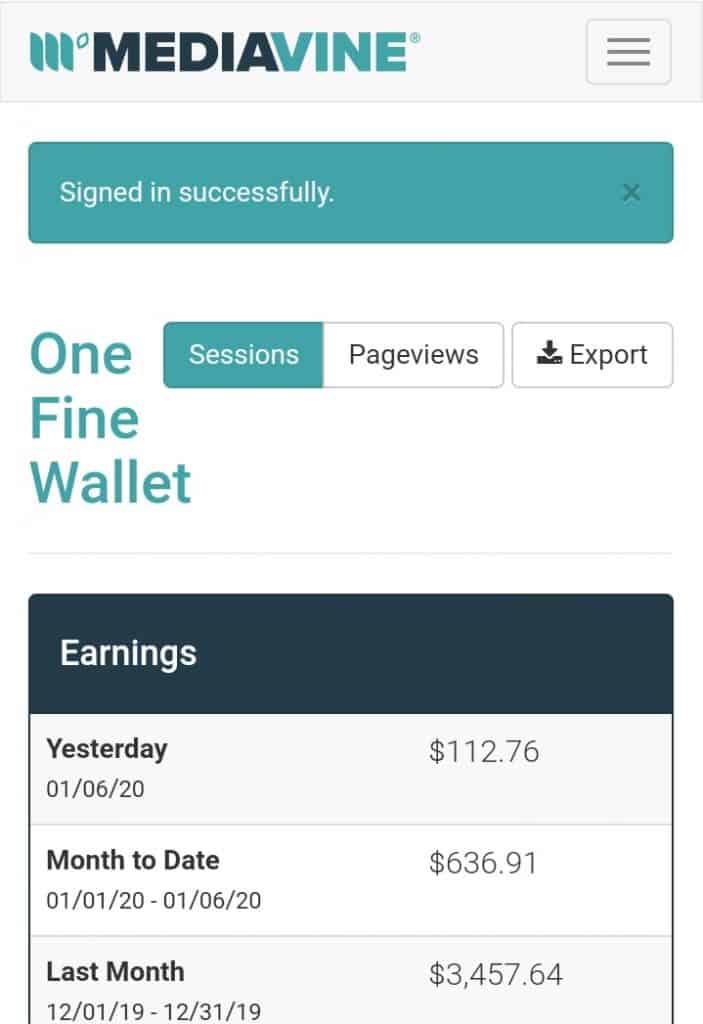
Mediavine helps me earn at least $100 a day and you can do the same. With $3,000 a month, this contributes to the majority of my blog income. The rest of the money earned is through affiliates links within my posts.
How do bloggers make money?
As mentioned above display advertising is one way to make money blogging.
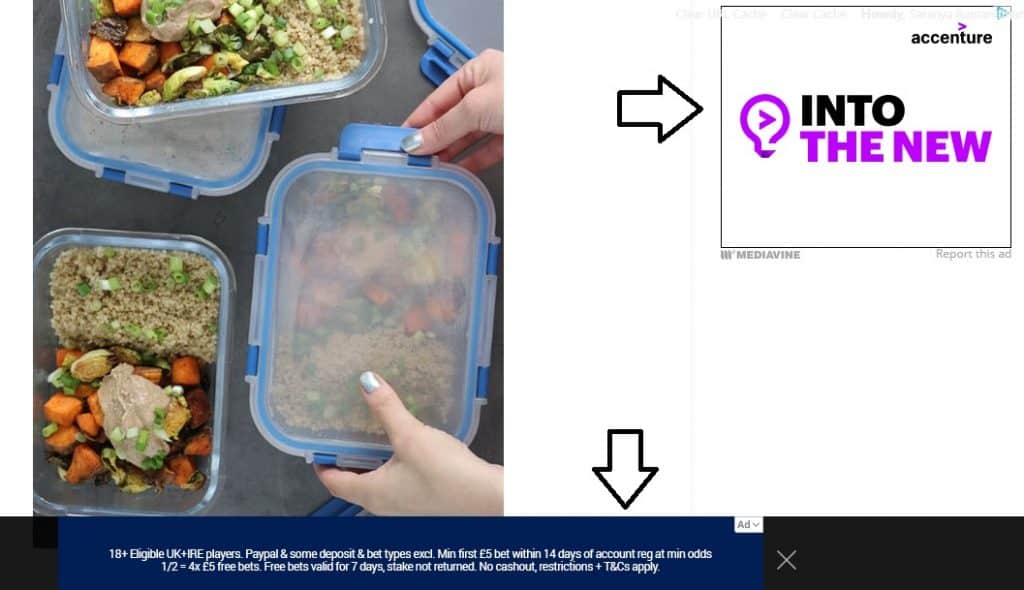
The image below shows you how display ads look on a blog. There’s one on the sidebar and a sticky ad at the bottom of the post.
Note: A sticky ad is an advertisement that stays on the screen even when you scroll down.
The second way to make money blogging is through affiliate marketing.
Notice links on blogs/websites?
These links may either lead to another article or blog post.
Or link to a product.
If the link leads to a blog post it is called interlinking.
But if it leads to an affiliate product – this is an affiliate link.
What is an affiliate link?
An affiliate link is a unique link given to you when you join an affiliate program.
Once you have a blog, joining an affiliate program becomes easy. You will just need to sign up with your blog and once you are approved you will be given a “special link” unique to you.
When one of your blog readers make a purchase using those links you earn commissions.
There are many affiliate programs you can join including Amazon’s associate program. Say you are a food blogger, you can write about recipes and link to special kitchen equipment (blenders, containers, lunch box etc) or food products on Amazon. When some clicks you link and buys any (can be any item on Amazon) product on Amazon you make money!
You can join affiliate programs by searching for companies on Google. Just type something like KETO DIET + AFFILIATE PROGRAM. This will show you a list of businesses that have affiliate programs for keto products.
What are the types of affiliate products:
The list is endless.
Let’s say you are a food blogger, you can write recipes and use affiliate links to ingredients, kitchen gadgets, cookbooks and more to earn commissions.
Fashion bloggers can link to online clothes and accessory stores.
Health and fitness bloggers can make money by creating online fitness courses, health books, meal plan subscriptions, link to products (exercise equipment) and essential oils.
Lifestyle bloggers can join all of the above programs including gift guides and subscriptions.
And you can be in any niche to join the Amazon’s Associates program.
Affiliate marketing and ads are just two ways to make money from a blog. Here are 13 other unique ways to make money blogging
How long does it take to make money blogging?
This is a very difficult question to answer.
Some make money in the first 6 months blogging, while others take a bit longer.
The biggest factor, in my opinion, is investing and committing to your blog.
My honest advice is, if you are ready to invest in your blog and make it professional you might see money coming in sooner than you think.
With a dated theme, poor quality images and content that’s not of value to your readers, you might be missing out on making money.
The reason I say this is because I made my blog level up to professional standards right from day 1.
While investing right from the start can be hard, here are some blog essentials that made me successful.
- Hosting + WordPress – Siteground ($70 for a year)
- Blog Theme – Divi theme ($80 a year or a one time payment of $249)
- Pinterest Scheduling – Tailwind ($15/month)
These were the only three investments I made in my first year and it was the best choice.
For email marketing, I used Mailerlite which is free for the first 1,000 subscribers, and perfect for new bloggers.
Siteground was a solid hosting platform, with a very helpful tech team available round the clock for online chat support. Never had any problems with them, and my site ran smoothly. WordPress comes free with it.
The Divi theme was great because there were endless customising features and again great tech help in their online chat forum. Another advantage of the Divi theme was that one purchase allowed me to install the theme in multiple websites for free. So one purchase of the theme now allows me to use it on two of my blogs. If you want to buy it as a one time purchase like I’ve done its $249 and you don’t need to worry about paying it yearly.

Tailwind scheduling I would recommend getting it roughly in your second or third-month blogging when you have enough content to circulate and schedule to Pinterest. I started using Tailwind once I got around 15 posts published.
Read here how I got 600 pageviews a day using Tailwind.
**Get a free trial of scheduling 100 pins for free with Tailwind when you sign up using this link.
How to start a blog?
One of the main essentials for starting a blog is to have paid hosting. As for the blog theme and email marketing, there are many free options for new bloggers.
Paid hosting sites give you full control to run your blog securely, and I highly recommend Siteground for this.
Starting a blog with Siteground costs less than $4 a month but needs to be paid yearly which comes up to $70 approximately to include your domain name.

The domain name is the name of your blog that goes into your web URL.
For this blog Stay At Home Habits, my domain name is www.stayathomehabits.com
Once you have brainstormed a few ideas and decided what to call your blog, you can use this website to check if no one else has already taken your domain name.
**Bonus Tip:
Its always good to purchase your hosting early – even if you don’t have any posts ready to publish!
Why?
Because Google likes older domains.
So if you buy your hosting today and start publishing posts on your blog next month, Google will start showing your posts quicker in its search results.
When I started this blog in October 2019, it took me till the end of December to see my blog appear on Google.
Another advantage is if you are using WordPress for the first time you will have time to play around and get used to the platform. As someone that has never used a blog before, I got the full hang of it in a week or less.
Ready to start your blog with Siteground?
Here is a step by step walkthrough of the entire process – takes less than 15 minutes to complete.
Step 1:
First, you will need to visit their website. You can do so right here.
Step 2:
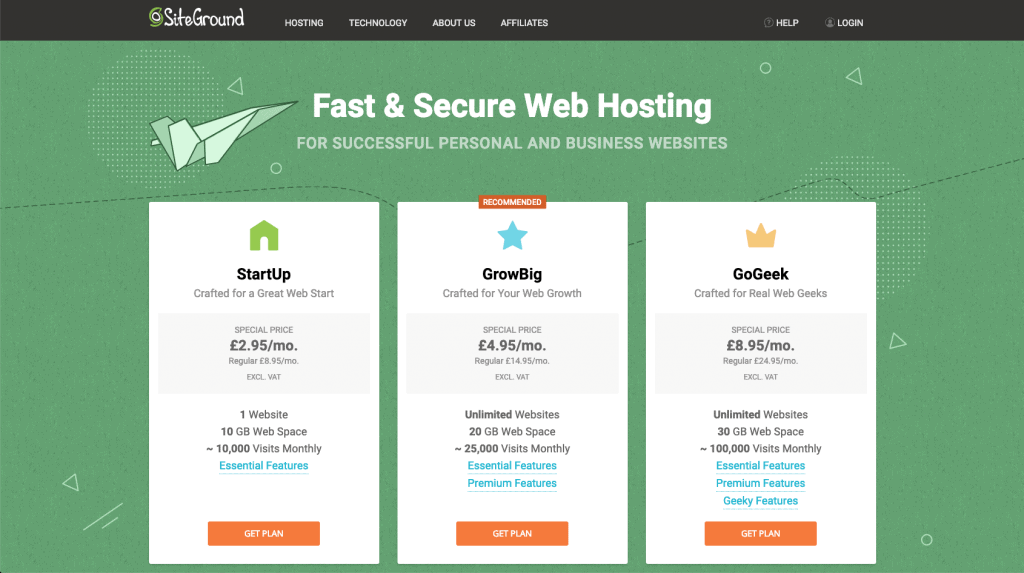
Choose your price options. You can always start on the lowest plan (StartUp plan) and then upgrade later on when your blog grows.
Not the prices below and in British pounds, but you can head over here to check rates in your country.
Step 3:
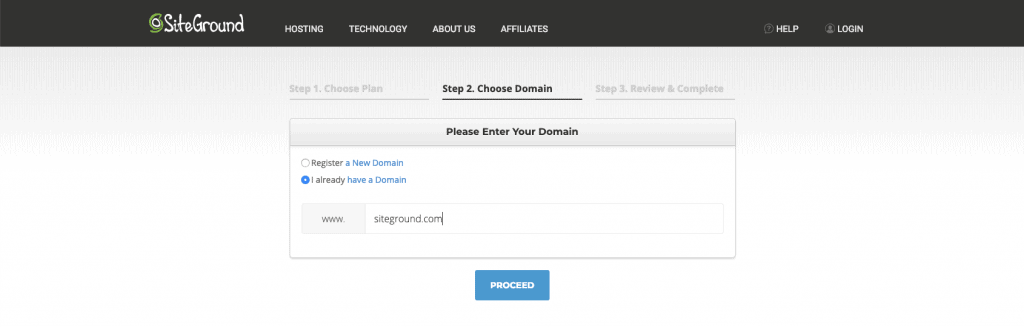
This is where you can insert the domain name you have chosen and check if it is available. So www. Your Website Name .com
Next, click proceed.
Step 4:
Finally, review your information and proceed to pay.
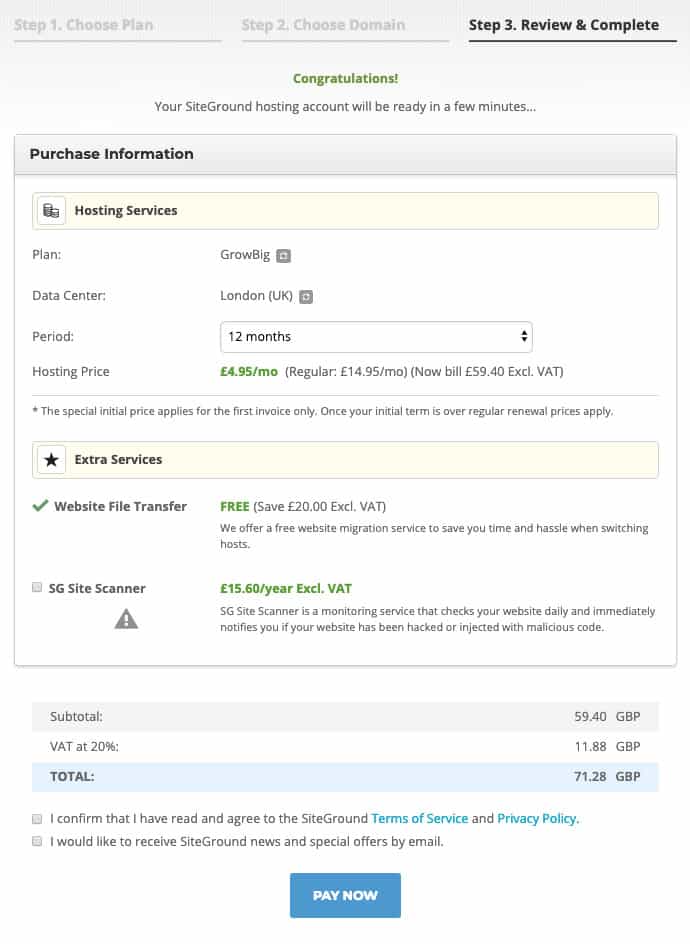
That’s it!
Great! You now have got your hosting with Siteground!
Step 5:
Installing WordPress
Enter Siteground’s Customer Area using your login details. (you will be given this information when signing up with Siteground)
Once there, you will notice a pop up that says, Use SiteGround Wizard to Install WordPress.
Click on Start a New Website.
Next hit the WordPress button.
Finally, enter the login information for your new WordPress application and click complete setup.
If you are unsure about any of the steps listed above, you can first head to their online chat support here and get them to walk you through the entire process – this is what I did! They stayed online with me the whole 15 minutes till I was set up:)

Congratulations on getting your first blog set up!
Now its time to write some content and start promoting your work.